
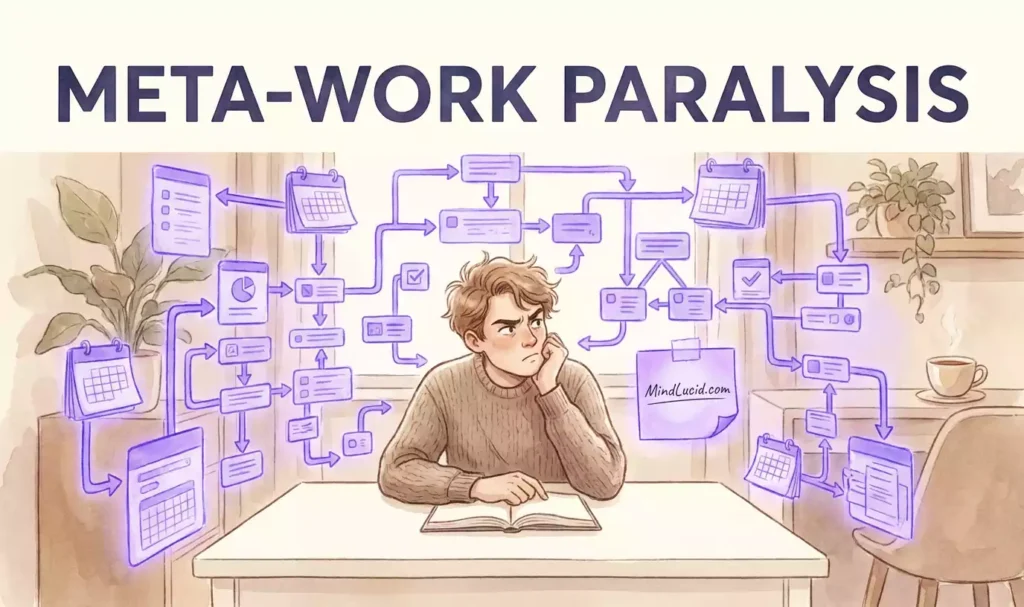
Here’s a scenario that might feel uncomfortably familiar: you sit down at your desk, coffee steaming, ready to tackle your most important task. Then you think, “Let me just organize my workspace first.” Four hours later, you’ve color-coded 47 Notion pages, created 12 new tags, redesigned your entire dashboard, and written a 500-word journal entry about your productivity system. Actual work completed? Zero. This is meta-work paralysis — the deceptive productivity trap that millions of people with ADHD tendencies fall into every single day.
In this article, we’re diving deep into why your brain prefers organizing over doing, how to recognize when you’re stuck in the loop, and practical strategies to break free. If you’ve ever felt like you’re extremely busy but getting nothing done, this one’s for you.
What Is Meta-Work Paralysis?
Meta-work paralysis is the experience of spending excessive time and energy on activities about work — organizing, planning, categorizing, system-building, tool-shopping, and optimizing — while avoiding the actual work itself. It’s the productivity equivalent of rearranging deck chairs on the Titanic: it feels important, looks impressive, and gives you a sense of accomplishment, but it doesn’t move the ship forward.
The term “meta-work” refers to work about work. When you’re setting up project management tools, creating templates, choosing between apps, reorganizing files, or planning your daily schedule in exquisite detail, you’re doing meta-work. Some meta-work is genuinely useful — even necessary. But when meta-work becomes a default escape hatch from the discomfort of starting real tasks, it crosses into paralysis territory.
People with ADHD tendencies are particularly vulnerable to this pattern because the ADHD brain craves novelty, stimulation, and immediate rewards. Organizing a Notion dashboard provides all three: it’s new (new layout, new tags), it’s engaging (dragging blocks, choosing icons), and it delivers instant gratification (a beautiful, organized space). The actual work — writing, coding, calling, creating — often provides none of those things in the short term.
The Notion Illusion: Why Organizing Feels Like Progress
Notion, Obsidian, Trello, Asana, ClickUp — the modern productivity tool ecosystem is a wonderland for the meta-work mind. These platforms are beautifully designed, endlessly customizable, and deeply satisfying to use. They make you feel like a productivity architect rather than a procrastination victim.
The Neurochemistry Behind the Illusion
When you complete a small, concrete task — like creating a new Notion page, adding a tag, or color-coding a calendar — your brain releases a tiny burst of dopamine. This feels good. This feels like achievement. Your brain logs it as “progress made” and wants more. The problem is that these micro-rewards are fundamentally different from the satisfaction of completing meaningful work. They’re cheap dopamine hits that keep you busy without moving you forward.
For someone with ADHD tendencies, this is especially seductive. The ADHD brain has a naturally lower baseline of dopamine activity, meaning it’s constantly seeking stimulation and reward. Meta-work provides an endless buffet of tiny dopamine hits, while real work often requires sustained attention with delayed gratification — the exact opposite of what the ADHD brain finds naturally rewarding.
The Illusion of Control
Meta-work also provides something else: a sense of control. When the actual task ahead feels overwhelming, ambiguous, or anxiety-provoking, organizing your workspace gives you a feeling of mastery and order. It’s a way of saying, “I can’t control the project, but I can control my folders.” This is a deeply human coping mechanism — and for people with ADHD tendencies, who often struggle with task initiation and executive function, the relief can be profound.
The irony is that this sense of control is largely illusory. An organized Notion dashboard doesn’t make the hard conversation easier. A perfectly tagged file system doesn’t write the report. A beautifully designed weekly planner doesn’t get you to the gym. The control is real, but it’s control over the wrong things.
Signs You’re Trapped in Meta-Work Paralysis
Wondering if this applies to you? Here are the telltale signs that you’re spending more time organizing than doing:
Reorganizing files feels more urgent than actually using them.
You’ve changed your Notion color scheme more than twice this week.
You spend more time watching productivity tutorials than being productive.
Your to-do list is beautifully formatted but nothing gets checked off.
You’ve tried 5+ productivity apps in the last month alone.
You set up elaborate time-blocking schedules that never survive the first hour.
You have 12 different templates for tasks you’ve never started.
The thought of starting the real work makes you suddenly want to “organize first.”
Is This You? Find Out in 3 Minutes
Meta-work paralysis is often one of many signs of ADHD tendencies that go unnoticed for years. If you recognize yourself in this article, our free comprehensive ADHD test can help you understand your patterns more clearly. It takes just a few minutes and provides insights you can actually use.
The 5-Hour Organizing Trap: A Deeper Dive
Let’s examine what actually happens during those five hours you spend organizing your Notion instead of working. Understanding the mechanics of the trap is the first step toward escaping it.
Hour One: The Innocent Start
You sit down with genuine intention. You open Notion to check your task list, and something minor catches your eye — a page that could use a better icon, a database view that feels cluttered, or a template that isn’t quite right. You think, “I’ll just fix this quickly, then I’ll start.” That quick fix turns into a full page restructure.
Hour Two: The Snowball Effect
One change leads to another. Restructuring one page makes another page look inconsistent. You add new tags, which means you need to reorganize old tags. You create a new database, which requires setting up properties, filters, and views. The dopamine keeps flowing, and the real task keeps fading into the background.
Hours Three and Four: The Research Spiral
You hit a roadblock in your Notion setup and head to Google or YouTube. You watch a tutorial on advanced Notion features. Then another. Then you discover a new app that promises to solve everything. You sign up, import your data, and start customizing. The original task is now a distant memory.
Hour Five: The Realization
You finally look at the clock. Five hours have passed. Your Notion is beautiful, your new app is set up, your tags are perfectly organized — and you haven’t done a single minute of actual work. The guilt hits hard, often followed by a promise to “really focus tomorrow.” But tomorrow, the cycle repeats.
Real Productivity vs. Fake Productivity: A Comparison
One of the most confusing aspects of meta-work paralysis is that it feels productive. This table helps clarify the difference between genuine progress and its clever impostor:
| Meta-Work (Fake Productivity) | How It Feels | Real Work (Actual Progress) | How It Feels |
|---|---|---|---|
| Reorganizing Notion for 3 hours | Accomplished, in control | Writing the first draft of the report | Uncomfortable, uncertain |
| Color-coding calendar entries | Organized, efficient | Having the difficult conversation | Anxious, resistant |
| Watching productivity tutorials | Learning, improving | Practicing the actual skill | Awkward, slow |
| Setting up a new project management app | Tech-savvy, prepared | Making the first phone call | Scary, exposed |
| Creating 10 new templates | Resourceful, planning ahead | Completing one task without a template | Boring, tedious |
| Planning the perfect morning routine | Intentional, disciplined | Waking up and actually doing it | Uncomfortable, real |
Notice the pattern: meta-work feels good immediately, while real work often feels uncomfortable at first. The discomfort of real work — the uncertainty, the fear of imperfection, the boredom of repetition — is exactly what meta-work helps you avoid. And that’s precisely the problem.
Why Your Brain Chooses Organizing Over Doing
This isn’t a character flaw. Your brain isn’t broken. What’s happening is a completely understandable neurological response to the challenges of task initiation — and people with ADHD tendencies experience this with particular intensity.
🎯 Task Ambiguity
Real work is often vague. “Write the report” contains dozens of sub-decisions: What structure? What tone? What data? What length? This ambiguity creates cognitive friction. Meta-work, by contrast, is concrete: change this icon, add that tag, move this file. The brain prefers the concrete.
⚡ Immediate vs. Delayed Reward
Organizing your Notion delivers dopamine within seconds. Writing a report delivers satisfaction hours or days later — if at all. The ADHD brain’s reward system strongly prefers immediate gratification, making meta-work nearly irresistible.
🛡️ Fear of Failure
Starting real work means risking failure. What if the report is bad? What if the call goes poorly? Meta-work feels safe. You can’t fail at organizing files. It’s a form of productive avoidance that protects your self-esteem.
🔋 Energy Conservation
Task initiation requires significant mental energy, especially for tasks that feel overwhelming or uninteresting. Meta-work requires less cognitive load. Your brain naturally gravitates toward the path of least resistance.
How to Break the Meta-Work Cycle
Breaking free from meta-work paralysis requires a combination of self-awareness, structural changes, and compassion. Here are practical strategies that actually work:
⏱️ The 5-Minute Rule
Commit to working on your actual task for just 5 minutes. Not organizing, not preparing — actually doing the task. Set a timer. After 5 minutes, you’re free to stop. What you’ll often find is that starting is the hardest part, and once you begin, momentum carries you forward.
🚫 Organizing Time Limits
Give yourself permission to organize — but with a strict time limit. Set a 15-minute timer for your meta-work activities. When the timer goes off, you must switch to real work. This satisfies the organizing itch without letting it consume your entire day.
📴 Separate Tools for Separate Purposes
If Notion is your work tool, don’t use it as your procrastination tool. Create a separate, deliberately simple space for organizing (a physical notebook, a basic notes app) so that opening Notion doesn’t trigger the meta-work spiral. The goal is to break the association.
🎯 Shrink the First Step
Make the first step of your real task absurdly small. Don’t “write the report” — “open the document and type the title.” Don’t “make the call” — “find the phone number and dial it.” The smaller the first step, the less resistance you’ll feel.
📵 Digital Decluttering Detox
Unsubscribe from productivity YouTube channels, unfollow Notion template creators, and remove app store notifications. The less meta-work inspiration you’re exposed to, the less likely you are to spiral into it.
🧘 Body Awareness Check
When you catch yourself reaching for the organizing instinct, pause. Notice what’s happening in your body. Is there tension in your chest? A racing heart? Anxiety about the real task? Acknowledging the emotion behind the behavior is the first step to changing it.
Common Questions About Meta-Work Paralysis
Is all meta-work bad?
How do I know if I have meta-work paralysis or if I’m just being thorough?
Why does this seem to happen more with ADHD?
Can I use Notion or other tools without falling into this trap?
What should I do when I catch myself in the middle of a meta-work spiral?
Understand Your Patterns, Not Just Your Productivity
Meta-work paralysis is rarely just about productivity — it’s often a window into how your brain works. If you find yourself repeatedly stuck in organizing loops, struggling to start tasks, or feeling like your effort doesn’t match your output, there may be more to the story. Our free comprehensive ADHD test at MindLucid helps you understand your cognitive patterns with clarity and compassion. It’s designed to give you real insights, not labels.